ကြ်န္ေတာ့္ BLOG အားလာေရာက္ လည္ပါတ္သူမ်ားကို အထူးပင္ေက်းဇူးတင္ရွိပါသည္။ AJ Phone 2 ဖုန္းဆိုင္ Sales & Service Center { တကူ - ျပည္ေအး ရပ္ကြက္ }
Showing posts with label Folder ေတြကို ဒီဇိုင္းပံုစံအမ်ိဳးမ်ိဳးေျပာင္းရတဲ့ Software. Show all posts

Sunday, November 3, 2013

Home Plan PRO 5.2.26.4 Full Version (လက္သမား ဒီဇိုင္းဆရာမ်ားအတြက္)

502398935Home_Plan_Pro.png

လက္သမား ဒီဇိုင္းဆရာမ်ားအတြက္ အသံုးဝင္ေစမွာပါ ... အိမ္ဒီဇိုင္းေတြကို ပါ့ေပါ့ပါးပါးေလးနဲ႔ စိတ္ၾကိဳက္  ေရးဆြဲေပးမဲ႔ Tools ေလးပါ...။ အရင္ကတင္ေပးထားတာ Link အလုပ္မလုပ္ေတာ့ဘူးေျပာလာလို႔ Update Version ေလးကို ထပ္တင္ေပးလိုက္ပါတယ္....။

Features
Home Plan Pro includes the home design tools you need:

  • Easily draw arcs, rectangles, circles, lines, and so forth.
  • Use the mouse, keyboard, or a combination of both.
  • Add scaled dimensions with two clicks.
  • Insert doors and windows with equal ease.
  • Zoom in or out with a click to work on detailed parts of the plan or to see the whole of it.
  • Create Layers that you can make invisible or visible at a click
  • Draw a plot plan using metes & bounds. Calculate the area and acreage.

New in version 5.2.26.1


  • Zoom from 6400′ to 1/32″
  • Detailed Print Preview
  • Draw a Series of Parallel Lines
  • Draw Double Walled Rectangles
  • Wall Thickness in Fractions
  • Windows widths and patterns
  • Metes & Bounds
  • Prevent Printed Text From Scaling Too Big
  • Create a Column of Text
  • Snap Grid spacing is saved for each zoom level)
  • Speed settings are also saved separately for each zoom level.
  • New Zoom Bar buttons provide instant zooming to any level
 How To Install
  • 1. Extract rar
  • 2. Home Plan Pro Install and run the program and then click "Enter Unlock Code"
  • 3. Run Keygen> Click "Generate"
  • 4. Use the name, serial and unlock code from keygen to register full version
  • 5. Enjoy 


Thursday, October 10, 2013

ကြန္ျပဳတာ ထဲက မိမိဖိုင္ေတြကို Password ေပးၿပီးကာကြယ္မယ္


မိတ္ေဆြရဲ့ကြန္ျပဳဳတာရဲ႕control panel ,start menu, files folders

 ႏွင့္တစ္ျခား Windows resources ေတြရဲ့ access ေတြကိုထိန္းခ်ဳပ္ခ်င္တယ္ဆိုရင္

ဒီေဆာ့ဝဲေလးကိုသံုးပါ၊ကိုယ္ရဲ႔ ဖိုင္နဲ႔ဖိုဒါေတြထဲကိုသူမ်ားေတြဝင္ၾကည့္လို႔မရေအာင္လည္း

 password ခ်လို႔ရပါတယ္၊System file, removable drives, control panel ႏွင့္တစ္ျခား 

system ေတြကို ျပဳျပင္ျခင္း၊ဖ်က္ဆီးျခင္းတို႔ကိုကာကြယ္လို႔ရပါတယ္

ဒါေလးကိုသံုးၿပီး Virtual File Folder ေတြ ေဆာက္ထားၿပီး သူမ်ားကိုလွည့္စားလို႔ရတယ္

မိမိေပးထားတဲ့ Password နဲ႔ ဝင္မွ Folder ေတြကို ဖြင့္လို႔ရႏိူင္မယ္

အေသးစိတ္ကိုေအာက္မွာ ဆက္လက္ဖတ္ရႈ႕ႏိူင္ပါတယ္

လိုအပ္လို႔အသံုးျပဳ႕ခ်င္တယ္ ဆိုရင္ေတာ့ ေအာက္မွာေဒါင္းပါ အထဲမွာ Crack ဖိုင္ပါတဲ့အတြက္

Full version အျဖစ္သံုးလို႔ရပါတယ္ ခင္ဗ်ာ


ကိုလတ္(ကြ်ဲဆင္း)

Folder Guard is a powerful computer security program that you can use to control access to files, folders, and other Windows resources, such as Control Panel, Start Menu, and so on. You can use Folder Guard to lock your personal files and folders with passwords, to stop other users from peeking into your records. You can even completely hide your private folders from virtually all applications, and such folders would remain invisible until you enter a valid password. You can also protect sensitive system files from modification or destruction, disable access to the removable drives, restrict access to Control Panel, and more.


You can protect with password virtually any folder or file, allowing only authorized users to open the protected files or folders. You can protect an unlimited number of files and folders, each with its own password, or you can use the Master Password of Folder Guard to unprotect them all at once.

What you can do with Folder Guard:
• Hide folders from prying eyes
• Hide files without encrypting them
• Lock files and folders with passwords
• Use Quick Start Wizard of Folder Guard
• Restrict access to Control Panel and other resources
• Set up user-specific restrictions
• Prevent users from installing unauthorized programs
• Prevent users from running programs from the removable disks
• Restrict downloading programs from the Internet with Internet Explorer
• and more
 

Monday, September 2, 2013

မိမိ ရဲ႕ ဖိုင္ေတြ Folder ေတြကို Lock ခ်မယ္


ဒါေလး ကေတာ့ မိမိအသံုးမျပဳ႕ေစခ်င္တဲ့ ဖိုင္ေတြ ဖိုလ္ဒါေတြကို

မိမိ ခြင့္ျပဳ႕ခ်က္မရပဲ မိမိ သိမ္းထားတဲ့ Password မသိပဲ နဲ႔ ဖြင့္မရေအာင္

Lock ခ်ေပးပါတယ္ တခါတရ႕မွာ မိမိရဲ႕ ကြန္ျပဴတာ ကို မိမိ မသိေအာင္ လာၿပီးေမႊေနွာက္

ၿပီး ဖြင့္ၾကည့္တာကို ကာကြယ္ဖို႔ပါ Private only ေပါ့

ေနာက္တခု႔ မိမိရဲ႕ ဖိုင္ေတြကို ေလာ့ ခ် လို႔ရတဲ့ အျပင္ သူမ်ားမျမင္ေအာင္သိမ္းထားလို႔လည္းရပါတယ္

အေသးစိတ္ ကိုေတာ့ ေအာက္မွာ ဆက္ေလ့လာလို႔ရပါတယ္ ခင္ဗ်ာ

ေဆာ့ဝဲေလး ကိုေတာ့ Serial key နဲ႔ Fullversion  လုပ္ရမွာပါ

အထဲမွာလည္း တခါတည္း Key ဖုိင္ပါပါတယ္ Key ျဖည္တဲ့ အခ်ိန္မွာ

မိမိ ရဲ႔ Email ကိုလည္း ျဖည့္ေပးရပါမယ္ မိမိႀကိဳက္တဲ့ ေမးလ္ ထည့္လို႔ရပါတယ္


ေဆာ့ ဝဲေလး ကိုေတာ့ ေအာက္မွာ ေဒါင္းယူႏိူင္ပါတယ္


GiliSoft File Lock Pro is a power file encryption software program that can quickly and safely lock and hide files, folder,and drives,and it can use 256-bit AES encryption (Encryption Standard Adopted by the US Government) to protect your files located on HDD drive or any portable media such as USB drives.


• Hide Data :
GiliSoft File Lock Pro can hide your private files folders and drives, to make them completely invisible to users and programs.

• Lock Data :
The locked files/folders/drives are protected from accessing, users can not open, read, modify, move, delete, copy, rename the protected files/folders without password. Files and sub-folders in a locked folder are also protected.

• Encrypt Data :
It can encrypt files and folders of any type.

• Portable Encryption :
It packs and encrypts a folder into an executable (.exe file) with AES encryption algorithm. You can encrypt important data by this method, and then send it over the network or by other means to be used on a machine without Gili File Lock Pro.

• Safe Delete :
GiliSoft File Lock Pro allows you to completely remove sensitive data from your hard drive by overwriting it several times with carefully selected patterns.No one can recover deleted data from your disk if you secure delete it.

• Password Protected :
GiliSoft File Lock Pro is a password-locked software,that is to say,there’s no other way to run or unstall it if you have not the password.

Tuesday, August 6, 2013

Folder High light v2.4 + Crack

FolderHighlight v2.4 Incl Crack
မိမိရဲ႕ Computer မွာ အလွဆင္ခ်င္သူမ်ားအတြက္ Folder ေလးေတြကို အေရာင္ျခယ္ေပးႏိုင္တဲ႕ Software တစ္ခု တင္ေပးလိုက္ပါတယ္ဗ်ာ။ ဟိုးးးးး အရင္တုန္းကလည္းတစ္ေခါက္တင္ေပးဖူးပါတယ္။ အခုတင္ေပး လိုက္တာကေတာ့ Version အသစ္ေလးျဖစ္ပါတယ္ဗ်ာ။ အခုတင္ေပးလိုက္တာကေတာ့ Vista နဲ႕ Window 7 မွာ အလုပ္လုပ္ႏိုင္ပါတယ္ဗ်ာ။ အျမဲတမ္းသံုးႏိုင္ေအာင္ Full Version အေနနဲ႕ Crack ဖိုင္ကိုပါထည့္ေပးထား ပါတယ္ဗ်ာ။ အသံုးျပဳရတာလည္းလြယ္ပါတယ္။ အေရာင္ျခယ္ခ်င္တဲ႕ Folder ကို Right Click ႏွိပ္ျပီး Folder Highlight ကိုႏွိပ္ျပီး မိမိျခယ္လိုတဲ႕ အေရာင္ေလးကိုေရြးေပးလိုက္ရံုပါဘဲ။ အေတာ္ေလးေတာ့ လန္းပါတယ္ ဗ်ာ။


**  Step-1.ေအာက္က Download Button ကိုႏွိပ္လိုက္ပါ  

**  Step-2. "5sec". ေလာက္ေစာင္႕ေပးပါ။

**  Step-3. "  << SKIP AD >>   ".ကိုႏွိပ္ေပးပါ။

**  Step-4. Download Link က်လာပါလိမ္႕မယ္။

**  အဆင္ေျပပါေစဗ်ာ။

Friday, June 28, 2013

Folder Colorizer 1.2.2 ( 1 MB )

Folder ေတြကိုအေရာင္ေလးေတြနဲ႕ခြဲျခားသတ္မွတ္ထားခ်င္တဲ့ သူမ်ားအတြက္တင္ေပးလိုက္ပါတယ္..
ၾကိဳက္တဲ့ Folder ေပၚသို႕ Right Click ေထာက္ၿပီးအေရာင္ေျပာင္းႏိုင္မွာပါ..ဒီ Software ကိုအသံုးျပဳမယ္ဆို
ရင္ အရင္ဆံုး Full Version ျဖစ္ေအာင္.. Folder တစ္ခုကိုအေရာင္ေျပာင္းလိုက္ပါ..ၿပီးရင္ Email လိပ္စာ
ေတာင္းရင္ ထည့္ေပးၿပီး Activate လုပ္လိုက္ပါ..ဒါဆိုရင္ Full Version ရပါၿပီ။ Activate လုပ္တဲ့အခ်ိန္မွာ Internet Connection ေတာ့ ခဏသံုးရပါမယ္။

Tuesday, June 4, 2013

Folder ကို Lock ခတ္ခ်င္သူေတြ အတြက္ Folder Lock v7.1.8

ကိုယ့္ Folder ေလးကို သူမ်ားေတြ ၀င္မၾကည့္ေစခ်င္ ဘူးဆိုရင္ေတာ့ Folder Lock ေဆာ့၀ဲ ေလးနဲ႔ ကိုယ့္ Folder ေလးေတြကို Lock ခတ္လိုက္ပါ
ဒီမွာေဒါင္းပါ 
password က www.pyaephyo.com ပါ
ဖိုင္ဆိုဒ္က 8 MB ပါ
ျပည့္ၿဖိဳး (ေနျပည္ေတာ္)

Monday, May 27, 2013

idoo File Encryption Pro 5.6 For Windows 7//Xp/Vista (3.11 Mb)


ဖုိင္ေတြ Disk ေတြကုိ အလြယ္တကူ Password ခံထားလိုရပါတယ္
ျပီးေတာ့ အျခား အမ်ဳိးစားေတြလို တကူးတက ေဆာစ့္၀ဲလ္ဆီသြားပီဖြင့္စရာမလိုပါဘူး
ကုိယ္ ေသာ့ခတ္တဲ့ဖုိင္ကုိ ကလစ္လိုက္တာနဲ႔ Passwordေတာင္းပါတယ္
ကုိယ္ျပန္ပိတ္လိုက္တဲ့ ေသာ့ခတ္ျပီးသားျပန္ျဖစ္သြားပါတယ္
အျခားေဆာစ့္၀ဲလ္ေတြသာတာ တစ္ခုက Password ေမ့လညး္ျပသနာမရွိပါဘူး
ေဆာစ့္၀ဲလ္ကုိ Install လုပ္တာနဲ႔ Password ရယ္ Gmail ရယ္ျဖည့္ေပးရပါတယ္
ေဆာစ့္၀လ္ကုိဖြင့္ Forget Password ဆိုတာေလးကုိကလစ္လိုက္ရင္


ကုိယ္ထည့္တဲ့ဂ်ီေမးကုိ Password  ေလးျပန္ပုိ႔ေပးပါတယ္


အျခားလုပ္ေဆာင္ခ်က္ေတြလညး္ရွိပါတယ္
http://www.idooencryption.com/idoo-file-encryption.htm
မွာေလ့လာျပီး ၾကိဳက္ရင္ ေအာက္လိပ္စာမွာရယူနုိင္ပါတယ္
Download>>>> mirrorupload(or)sendspace (or)zippyshare
Rar Pass>>>>amyokaungtarr
စစသြင္းခ်င္းမွာ Password ရယ္ Gmail ရယ္ျဖည့္ေပးရပါတယ္
ျပီးမွ Install လုပ္လို႔ရပါတယ္ ျပီးရင္ ေဆာစ့္၀ဲလ္ကုိဖြင့္ လိုင္စင္ကုတ္ပါ နာမည္မွာ ကိုယ့္နာမည္ထည့္
အဆင္ေျပပါပီ

Wednesday, May 1, 2013

အလန္းစား ေမာ္ဒယ္လ္မ်ား မိမိ Desktop မွာ သီခ်င္းဆိုၾကမယ့္ VirtuaGirl HD 1.1.0.58 Free


မိတ္ေဆြရဲ႕ Desktop ေပၚမွာ သိပ္လန္းတဲ့ မိန္းကေလးေတြနဲ႔ေပ်ာ္ေပ်ာ္ေပ်ာ္ရႊင္ရႊင္ ခံစားေတြ႕ျမင္ရမယ့္ VirtuaGirl 1.1.0.58  ျဖစ္ပါတယ္... သိပ္လွပၿပီးဆြဲေဆာင္မႈရွိတဲ့ မိန္းကေလးေတြ Desktop ေပၚမွာ ေဖ်ာ္ေျဖေနတာကို HD အျပည့္နဲ႔ ခံစားရမွာျဖစ္ၿပီး ကိုယ္ႀကိဳက္တဲ့ မိန္းကေလးအလန္းေတြကို ရွာေဖြႏိုင္ပါတယ္.. တစ္ခ်ဳိ႕မိန္းကေလးေတြကိုေတာ့ Online ကေန Support ရယူရမွာျဖစ္ပါတယ္...

VirtuaGirl featured the most beautiful girls in the world dancing on computer desktops everywhere. Now, the same desktop application goes high definition! Try the new desktop fun and be amazed. Choose your model and let your desktop go live and alive! ViruaGirl HD is the ultimate desktop application that combines beauty, high definition and stress free. Drive test VirtuaGirlHD and forget about your everyday work worries, just enjoy this application and its suprises.

အဆင္ေျပပါေစ...

ေမာင္ေပါက္


Download Links: 26.6 MB

Monday, August 27, 2012

Folder ေတြကို ဒီဇိုင္းပံုစံအမ်ိဳးမ်ိဳးေျပာင္းရတဲ့ Software


အရမး္ေကာင္းတဲ့ software တခုအေၾကာင္းေျပာျပမယ္ေနာ္
မိမိကြန္ပ်ဳတာမွာရွိတဲ့ folder ေတြကိုအေရာင္အမ်ိဳးမ်ိဳး ေျပာင္းမယ္
မၾကိဳက္ေသးဘူးဆိုရင္ ဒီဇိုင္းပံုစံအမ်ိဳးမ်ိဳးကိုေျပာင္းလို႕ရပါတယ္
စိတ္ဝင္စားဖို႕ေကာင္းပါတယ္ေနာ္
ေျပာင္းဖို႕အဆင့္ဆင့္ကိုထက္ထက္ေျပာျပမယ္ေနာ္
သူငယ္ခ်င္းတို႕စမ္းသပ္ၾကည့္တဲ့အခါမရွင္းမွာစိုးလို႕ပါ..


အရင္ဆံုး Download ဖိုင္ေလးကိုေဒါင္းျပီးတာနဲ႕ဖြင့္လိုက္ရင္
ေအာက္ကပံုေလးအတိုင္းျဖစ္သြားပါလိမ့္မယ္


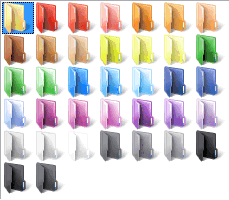
ဒီဇုိင္းပံုစံေတြအမ်ားၾကီးရွိပါတယ္
ပံုမွာျပထားတဲ့အတိုင္း တခုခ်င္းစီကိုဖြင့္ၾကည့္ပါ
ေအာက္မွာရွိတဲ့ပံုေလးေတြအတိုင္းေတြ႕ရပါလိမ့္မယ္
Colors


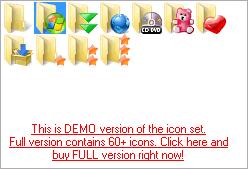
Everyday


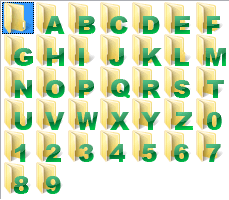
ABC...

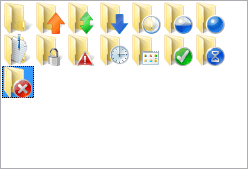
Main


Folder ကိုဘယ္လိုေျပာင္းမလဲဆိုတာ ေျပာျပမယ္ေနာ္


(1)  အေပၚဆံုး မွာ ကိုယ္ေျပာင္းခ်င္တဲ့ folder ကိုထည့္မယ္။


(2) ကိုယ္ၾကိဳက္တဲ့ဒီဇုိင္းပံုစံကိုေျပာင္းမယ္ ျပီးရင္ကုိယ္ေျပာင္းခ်င္တဲ့ဒီဇိုင္းကို
ကလစ္တစ္ခ်က္ႏွိပ္လိုက္ပါ။


(3)   ျပီးရင္ေအာက္က အကြက္ေလးႏွစ္ခုကိုအမွန္ျခစ္လို္က္ပါ။


(4)  ေနာက္ဆံုးမွာ Apple ေလးကိုႏွိပ္လို္က္ပါ။


ဒါဆိုရင္ folder ေလးပံုစံေျပာင္းသြားပါလိမ့္မယ္ေနာ္..


ဒီလို folder ကိုဒီဇိုင္းေျပာင္းဖို႕အတြက္ Download လုပ္ရေအာင္